Micro-LED Calibration 2026: Achievingurgical Visual Fidelity for Your Home Cinema

Welcome, cinephiles and tech enthusiasts, to AMC Cinema Global! We live in an era where the lines between the cinema and your living room are blurring at an unprecedented pace. Today’s cutting-edge displays, particularly the revolutionary Micro-LED technology, have moved from the realm of science fiction to become the undisputed gold standard for the ultimate home cinema experience. But as many of you have discovered, the magic you see on the showroom floor – that dazzling, hyper-realistic image – often requires a bit of expert nannying to truly shine in its intended glory.
Out of the box, most premium Micro-LED panels are often pushed towards aggressive « Vivid » or « Dynamic » presets. While these settings certainly grab your attention with their sheer brightness, they come at a steep cost: the sacrifice of nuanced detail, accurate color, and the very soul of the filmmaker’s vision. At AMC Cinema Global, we champion a philosophy of clinical accuracy. We believe that to truly immerse yourself in the breathtaking world of a film like « Avatar: Fire and Ash » or unravel the intricate mysteries of « Project Hail Mary, » your display must transcend mere brightness and achieve a level of calibration as precise as a surgeon’s scalpel. This means meticulously tuning your panel to perfectly match industry-standard color spaces, most notably DCI-P3.
Forget the slightly washed-out or overly saturated images you might be used to. True visual fidelity is within your reach, and it begins with understanding the fundamental steps to unlock the full potential of your Micro-LED investment.
Step 1: Banish the « Soap Opera Effect » – Embrace the Director’s Intent
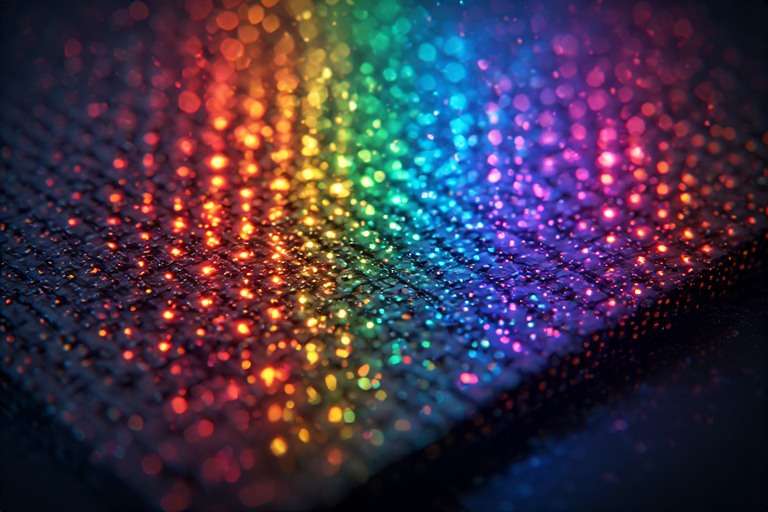
Ever watched a film and felt like you were looking at a live broadcast or a soap opera, rather than a cinematic masterpiece? That unnatural smoothness, that disconcerting fluidity, is a side effect of what the industry calls « Motion Smoothing » or « MEMC » (Motion Estimation, Motion Compensation). These technologies artificially insert frames between the existing ones to create the illusion of smoother motion. While they might have served a purpose on older, slower-responding displays, on a cutting-edge Micro-LED, they are not only unnecessary but actively detrimental.
The Action You Need to Take:
Navigate through your Micro-LED’s picture settings menu and diligently disable all forms of « Motion Smoothing, » « Motion Interpolation, » « Frame Interpolation, » or « MEMC. » The exact terminology can vary slightly between manufacturers, so be thorough in your search. Sometimes, these settings are buried within advanced menus or labelled with more obscure terms.
The Undeniable Reason:
The film industry standard, for decades, has been shooting and projecting at 24 frames per second (fps). This specific frame rate, while seemingly choppier than higher rates, possesses a unique cadence and a certain deliberate « judder » that has become intrinsically linked with the cinematic language. It’s the aesthetic choice that distinguishes a movie from a television show or a video recording.
When you enable motion smoothing on a Micro-LED display, you are fundamentally altering this intentional artistic choice. The incredibly fast response times inherent to Micro-LED technology mean that motion blur is virtually non-existent. These displays can render fast action with exceptional clarity without any artificial assistance. By disabling these features, you are not losing anything; you are reclaiming the authentic visual experience that the filmmakers meticulously crafted. You are allowing the director’s original vision, captured at 24fps, to be presented as intended, preserving the natural motion blur and the distinct cinematic « feel » that we’ve come to associate with great films.
Step 2: Harnessing High-Peak Luminosity and Mastering EOTF Tracking
One of the most astounding capabilities of next-generation Micro-LED displays – particularly those emerging in 2026 and beyond – is their astonishing peak luminosity. We’re talking about displays that can achieve upwards of 4,000 nits, a figure that was unthinkable for consumer-grade televisions just a few years ago. This immense brightness is crucial for delivering impactful highlights, vibrant colors, and incredible contrast, especially in HDR (High Dynamic Range) content.
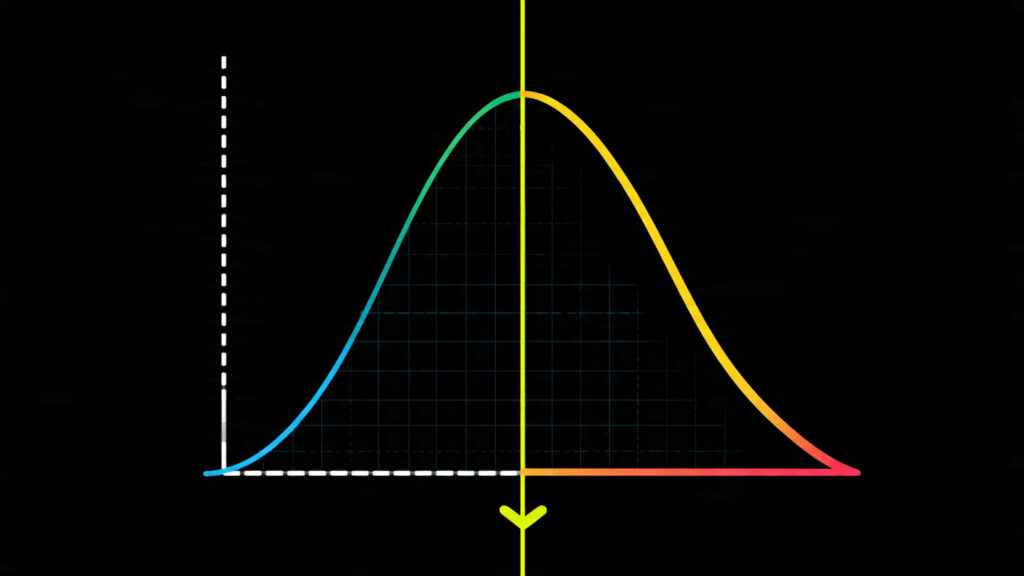
However, simply boasting high nits isn’t enough. The real magic lies in how the display handles that light. This is where the concept of EOTF (Electro-Optical Transfer Function) tracking becomes paramount. The EOTF describes the relationship between the video signal’s digital values and the actual light output (luminance) produced by the display. In simpler terms, it’s the curve that dictates how smoothly and accurately the display transitions from the deepest blacks to the brightest whites.
The Tech Involved: Surgical EOTF Tracking
To achieve true visual fidelity, your Micro-LED needs to precisely follow a specific EOTF curve. For HDR content, this is typically the Perceptual Quantizer (PQ) curve, often referred to as SMPTE ST 2084. Professional calibration tools, often involving a calibrated spectroradiometer or colorimeter and specialized software, are used to measure the display’s light output at various signal levels.
The goal is to adjust the display’s internal gamma and peak brightness settings so that its luminance output perfectly matches the intended PQ curve across its entire dynamic range. This isn’t just about making the brightest parts brighter; it’s about ensuring that every step along that curve is accurately represented.
The Astonishing Result: Unveiling Hidden Detail
When your Micro-LED achieves surgical EOTF tracking, the benefits are immediately apparent. You will witness an unparalleled level of detail in the most challenging parts of the image – the « clipping zones. » Think about the blindingly bright surface of a star in a space epic, the intense flare of a laser blast, or the intricate textures on a sun-baked desert landscape. On displays with poor EOTF tracking, these details often get « crushed » into pure white, losing all information.
Cheaper display technologies, like many OLEDs (despite their excellent contrast), can struggle with maintaining detail in extreme highlights due to their inherent limitations. Micro-LEDs, with their massive technological advantages, can showcase these subtle gradations, revealing nuances that would otherwise be lost. This results in images that possess a depth, realism, and a tangible quality that truly pulls you into the on-screen world.
Step 3: The Quest for D65 White Balance – Seeing Colors as the Director Intended
The final, crucial pillar of professional display calibration is achieving the correct white balance. This might sound simple – a « white » should look white, right? However, this is one of the most common areas where out-of-the-box displays fall short, leading to inaccurate color reproduction across the entire spectrum.
The Default Deviation: An Overly Blue Tint
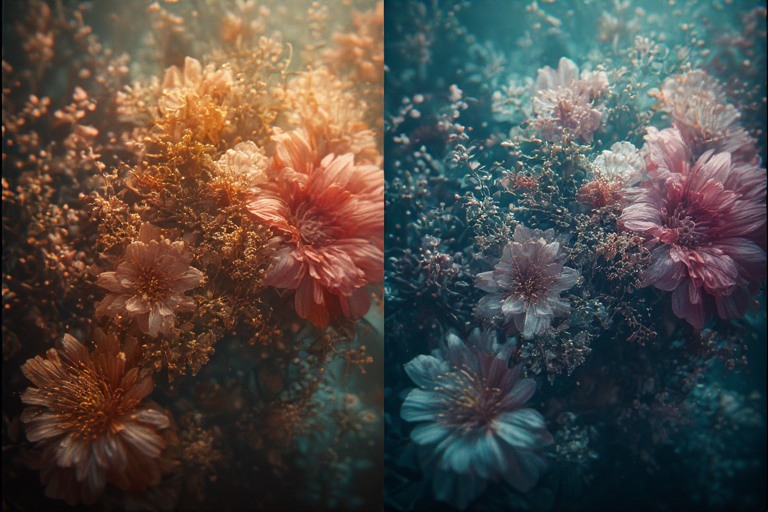
Most modern displays, including high-end Micro-LEDs, tend to exhibit a bluish cast by default. Manufacturers often do this because a cooler, bluer white can appear brighter to the human eye, making the display seem more impressive in a brightly lit retail environment. However, this artificial coolness skews all other colors. Reds will appear less vibrant, greens might lean towards cyan, and skin tones can look unnaturally pale or even slightly greenish.
The Essential Adjustment: Aiming for D65
The industry-standard for cinematic color grading and broadcast television is the D65 white point. This corresponds to a color temperature of approximately 6500 Kelvin (K). Achieving D65 means ensuring that pure white, when displayed, has the correct spectral composition, precisely as calibrated in professional post-production studios.
To initiate this adjustment on your Micro-LED, you’ll typically want to select the « Warm2 » color temperature setting or a dedicated « Film Mode, » « Cinema Mode, » or « Pro Mode. » These modes are usually designed to be closer to the intended standards. From there, with the aid of calibration tools or by carefully following a professional guide, you would fine-tune the individual red, green, and blue (RGB) gain and offset controls to hit the D65 target precisely.
The Initial Impression and the Reward:
When you first switch to a D65-calibrated picture, it might seem slightly « yellowish » or « warmer » than what you’re accustomed to. This is perfectly normal! Your eyes have likely been trained by years of viewing cooler, bluer images. Give it a few minutes, let your visual cortex adjust, and then re-evaluate. You will begin to notice a dramatic shift: reds will become richer and more accurate, blues will appear deeper and truer, and greens will gain a natural vibrancy. Most importantly, skin tones will look remarkably lifelike, conveying the subtle nuances of human complexion.
This precise white balance ensures that you are seeing colors exactly as the director and cinematographer intended. The vibrant sunsets, the deep ocean blues, the earthy tones of a forest – they will all be rendered with a fidelity that is simply breathtaking. It’s about experiencing the film’s color palette authentically, without the artificial filter that default settings impose.
The Bigger Picture: Why Calibration Matters for Micro-LEDs
Micro-LED technology represents the zenith of display innovation, offering unparalleled brightness, perfect blacks, infinite contrast, and incredibly fast response times. However, like any high-performance tool, it requires expert handling to unlock its full potential.
This isn’t just about making things look « prettier. » Accurate calibration ensures:
- Faithfulness to the Filmmaker’s Vision: You experience the movie as it was intended to be seen, with the intended colors, contrast, and motion.
- Reduced Eye Strain: Particularly with the elimination of aggressive motion smoothing, a properly calibrated image can be far more comfortable to watch for extended periods.
- Enhanced Detail and Immersion: Seeing subtle details in shadows and highlights, and experiencing accurate colors, draws you deeper into the narrative.
- Maximizing Your Investment: You are getting the absolute best performance out of one of the most advanced display technologies available.
Where to Watch Your Perfectly Calibrated Masterpiece
Once your Micro-LED is dialed in, you’ll want to experience a wide range of content that will truly showcase its capabilities. Here are a few of our top picks that benefit immensely from accurate color and dynamic range:
- Dune (2021 & Part Two): Denis Villeneuve’s epic sci-fi saga is a visual tour de force, with breathtaking desert landscapes, stark industrial interiors, and intense action sequences that demand accurate contrast and color depth.
- Blade Runner 2049 (2017): Another Villeneuve masterpiece, this film is renowned for its stunning cinematography, atmospheric lighting, and incredible detail in both its neon-drenched cityscapes and desolate exteriors.
- Spider-Man: Across the Spider-Verse (2023): If you want to test the limits of color vibrancy and animation fluidity, this animated marvel is an absolute must-watch. Its explosive and diverse color palette will pop like never before.
Where to stream these titles? Availability can change, but as of late 2025, you can typically find them on:
- Netflix: Often available for rent or purchase digitally.
- Amazon Prime Video: Frequently offers titles for rent, purchase, or included with subscriptions like Max.
- Max (HBO Max): A strong contender for Warner Bros. and related studio content.
- Disney+: The home for much of the Marvel Cinematic Universe, including Spider-Man animated features.
Looking for more insights into achieving cinematic perfection at home? If you’re fascinated by the technical side of filmmaking, be sure to explore our dedicated Cinematic Tech section, where we delve into the latest camera gear and post-production workflows. And for those who want to stay ahead of the curve on where to find the best content, our comprehensive Streaming Guides are constantly updated.
By taking these steps, you transform your cutting-edge Micro-LED display from a bright screen into a window onto meticulously realized worlds. This is the future of home cinema, calibrated for perfection.
Written by
AMC CINEMA GLOBAL TEAM
Our team of passionate experts dissects the latest cinematic releases and streaming trends for you with surgical precision.



Leave a Review